
硬體與本地大模型
16G 顯卡也能跑 MiniMax H3!RTX 5080 實測 3 分鐘出片|HyperFlow 壓縮版+ComfyUI 完整教學
16G 的 RTX 5080 用 HyperFlow H3 Flash(Q4_K_M)跑得動 MiniMax H3:一支 5 秒有聲直式影片,模型已載入後約 3 分 31 秒完成。準備 32G 記憶體、NVMe 空出 40GB,就能照這支影片在 ComfyUI 開始;下方附四個範例的完整提示詞、7 張首幀與兩份工作流程。
同一段提示詞,付費雲端、Mac mini 原版 H3、RTX 5080 壓縮版會差多少?先看影片,再依章節找到安裝、提示詞或下載。這頁的截圖和首幀都是 AI 生成影片的畫面。
RTX 5080 跑 H3,要從影片哪一段開始看?
| 時間 | 章節 |
|---|---|
| 0:00 | 先看成果:同一段提示詞,三種生成方式 |
| 0:34 | HyperFlow H3 Flash 是什麼 |
| 1:13 | 16G 顯卡跑原版 H3,卡在哪裡 |
| 1:44 | 壓縮版怎麼變小 |
| 2:29 | 畫質剩多少? |
| 2:52 | 一支要等多久? |
| 3:19 | 30GB 怎麼裝進 16G 顯卡 |
| 4:11 | 安裝五個步驟 |
| 4:59 | 三種常見錯誤 |
| 5:24 | 做一支 15 秒的斯巴達 |
| 6:48 | 放大到 2K |
| 8:14 | 代價與授權 |
| 8:32 | 結論 |
HyperFlow H3 Flash 是什麼?16G 顯卡怎麼跑得動?
這是 Video Rebirth 團隊 11 月 6 日放出的開源壓縮版,不是 MiniMax 官方另發一個型號。把 310 億參數壓到 137 億,讓 16G 遊戲顯卡用 6 步生成畫面與聲音。T2V 就是文字生影片,I2V 則是拿一張圖當起點生成影片;後面的斯巴達把兩種方法接起來。
原版卡在等待、環境與檔案大小:預設 20 步,一支 5 秒片,5080 將近九分鐘,5060 Ti 要二十幾分鐘;加速外掛沒配好也可能等到一小時。常下載的原版主檔 21GB,整套四十幾 GB。
壓縮做三件事:主體 50 層拿掉 3 層;低秩分解把大權重矩陣換成兩個小的相乘;量化用更少位元存數值。24G 以上用 8 位元版,16G 用 Q4_K_M,這是約 4 位元的壓縮規格。GGUF 是這個量化主模型使用的檔案格式。主體從原版 62GB 變成約 9GB,比 21GB 的剪枝檔也不到一半,走法再從 20 步減成 6 步。
畫質差多少?官方 API、Mac mini、RTX 5080 一支要等多久?
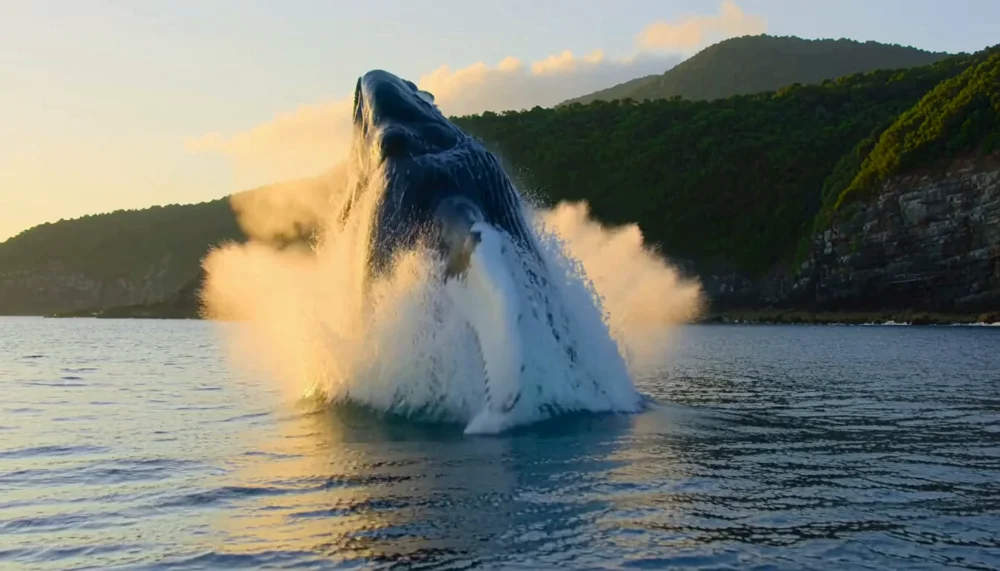
車身反光、戰機座艙玻璃三種都做得出來;鯨魚水花也都在,皮膚溝紋則是官方那支最細,壓縮版比較軟。先看相同成片第一格,再到各範例對照提示詞。
| 跑法 | 工具與設定 | 5 秒送出到完成 | 花費 |
|---|---|---|---|
| MiniMax 官方 API | 雲端,768P、9:16、5 秒 | 1 分 45 秒~2 分 08 秒 | 每支 0.40 美元 |
| Mac mini M5 Pro 24GB | vpipe app,原版 H3 8-bit;768×1344、124 格、24 fps、6 步、seed 6 | 約 15 分 13 秒~15 分 15 秒 | 本機生成,不按支付 API 費 |
| RTX 5080 16GB,Windows | ComfyUI+HyperFlow H3 Flash Q4_K_M;768×1344、124 格、6 步、seed 6 | 約 3 分 31 秒(模型已載入) | 本機生成,不按支付 API 費 |
seed 是生成時控制隨機起點的數字;同一個 seed 配同一份提示詞,有助於對照,但這三套工具不是同一個模型版本。RTX 5080 這組約 3 分 31 秒是模型已載入後,開機第一次還要加載入時間。片中「快兩倍半」只和社群同配置原版 20 步的 8 分 45 秒比,不是宣稱比官方 API 快。
整套 30GB,16G 顯存和 32G 記憶體夠嗎?
ComfyUI 不會一次把四個檔全塞進顯卡。文字編碼器先讀完提示詞就讓位,主模型再從系統記憶體一塊一塊流進顯卡。我們量到 H3 自己在顯卡上約用 10.5GB;系統記憶體最多多用約 12GB,開始前別的程式已用 18GB,合計約 30GB,32G 照樣完成。
- 16G 顯卡;片中使用桌機 RTX 5080。
- 32G 系統記憶體。
- 模型放 NVMe,至少空出 40GB。
片中也提到 16G 的 5080、4090 筆電顯卡可以用這個版本,但功耗較低會比較慢;不要把桌機 3 分 31 秒當作筆電量到的時間。
MiniMax H3 ComfyUI GGUF 工作流程怎麼裝?
- 已有 ComfyUI 先複製整個資料夾備份,再更新到 0.43 以上。第一次用,下載 ComfyUI Windows 免安裝版,選 Assets 裡 nvidia 那份。
- 免安裝版不含 git,先裝 Git for Windows。裝 ComfyUI-GGUF 與 ComfyUI-HyperFlow-Flash 兩個節點包,各自跑完 requirements。
- 下載下表四個模型檔,放入三個資料夾。VAE 是把模型內部表示解回影像或聲音的元件,影像、聲音兩份都要放。
- 啟動參數加
--fast-disk;片中提醒記憶體 32G 以下一定要加。 - ComfyUI 選單 → Browse Templates → Extensions › ComfyUI-HyperFlow-Flash,開
hyperflow_t2v;要指定首幀則開hyperflow_i2v,改提示詞後執行。
| 檔案 | 放哪裡 |
|---|---|
| minimax_h3_fl2va_hyperflow_flash_14b-Q4_K_M.gguf | ComfyUI/models/diffusion_models |
| qwen3vl_32b_minimax_h3_nvfp4_awq.safetensors | ComfyUI/models/text_encoders |
| minimax_h3_video_vae_fp16.safetensors | ComfyUI/models/vae |
| minimax_h3_audio_vae_fp32.safetensors | ComfyUI/models/vae |
紅色節點、少聲音 VAE、Unknown model architecture 怎麼辦?
節點一片紅框,回頭確認兩個節點包與 requirements 跑完,再重開。提示 minimax_h3_audio_vae_fp32.safetensors is missing、執行被擋,補聲音 VAE 到 vae 資料夾。若跳 Unknown model architecture,是用了 GGUF 的一般載入節點,改用 HyperFlow 的載入節點;不要在一般 Load Diffusion Model 清單裡找 GGUF。
MiniMax H3 提示詞怎麼寫?畫面、聲音、配樂三欄分開
integrated_multimodal_description寫畫面、人物、鏡頭。用[Shot 1]、[Shot 2]分鏡,用At 00:02.600, cut to …指定第 2.6 秒切鏡。overall_soundscape寫聲音發生的順序:引擎、換檔、風聲、呼吸、箭打銅盾,不只寫「很震撼」。non_diegetic_music寫配樂。下方賽車、空戰原文的None.就是不要配樂;旁白也用 N/A 表達不配樂。這裡保留實際送出的原提示詞,不改成另一種寫法。
開頭先定風格和人物,結尾直接寫不要出現的東西,例如 no logos、no text;不用另外寫一欄負面提示詞。下面每份提示詞都保留原文和換行,可各自複製。
賽車提示詞怎麼安排兩個鏡頭和換檔聲?
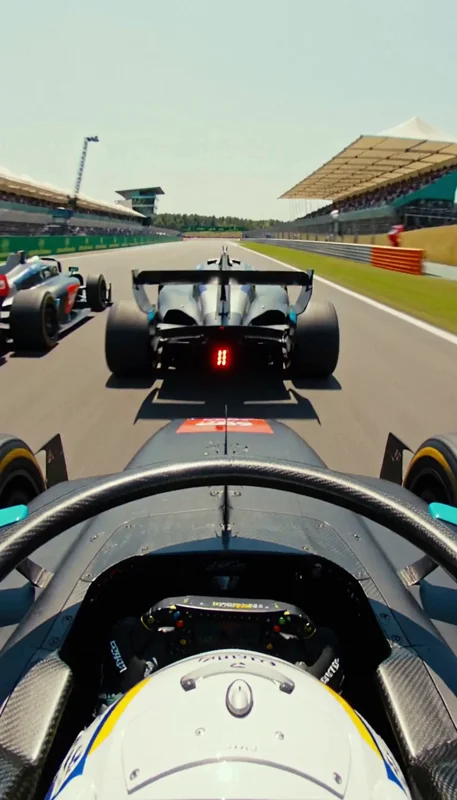
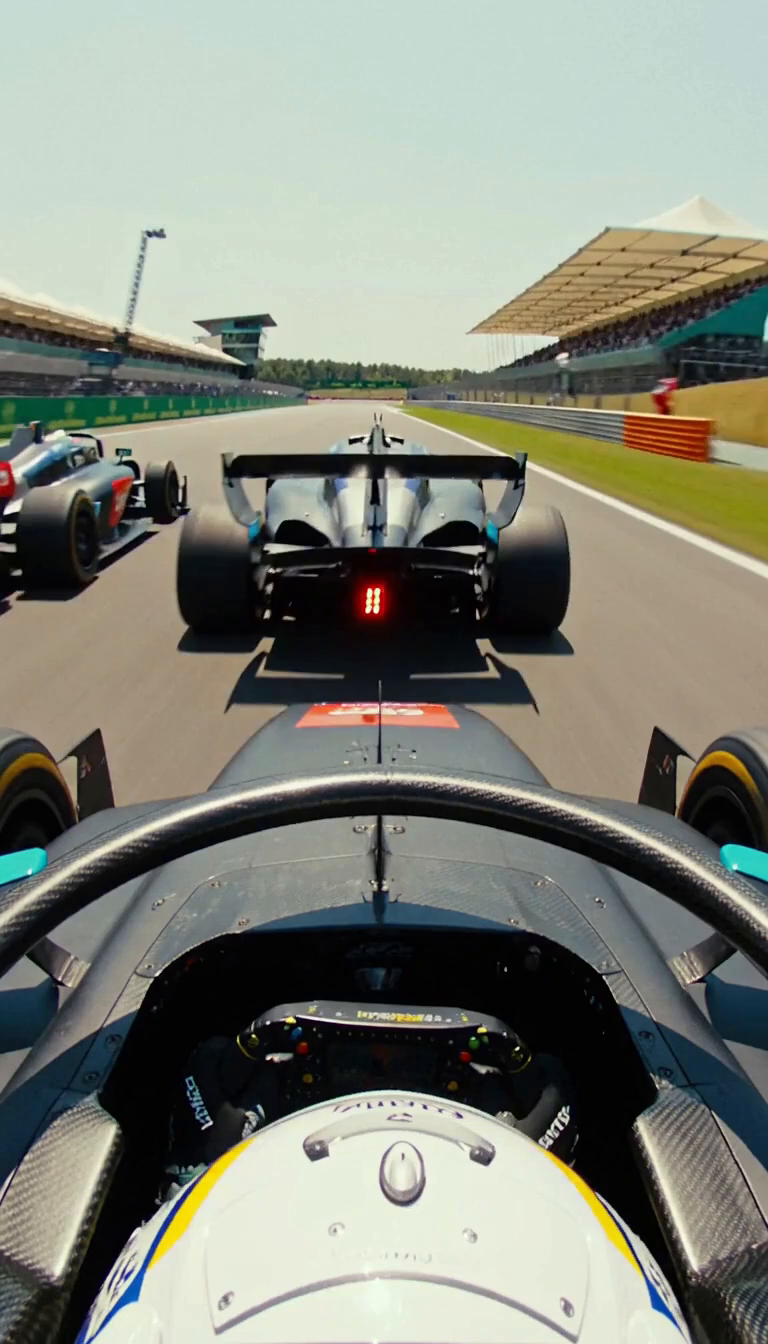
頭盔後上方的車載鏡頭,貼著前車尾流衝直線,拉出並排進煞車區;2.6 秒切彎心路緣低機位,兩台車輪對輪擦過、車底噴火花。聲音先是渦輪高轉、兩次升檔,再四次降檔補油與排氣爆音,切鏡接都卜勒呼嘯,不配樂。
同提示詞三支:官方 1 分 47 秒、Mac 15 分 13 秒、RTX 5080 3 分 31 秒。Mac 那支的尾翼、看板冒出模型自編文字,寫了 no logos、no text 還是可能出現。
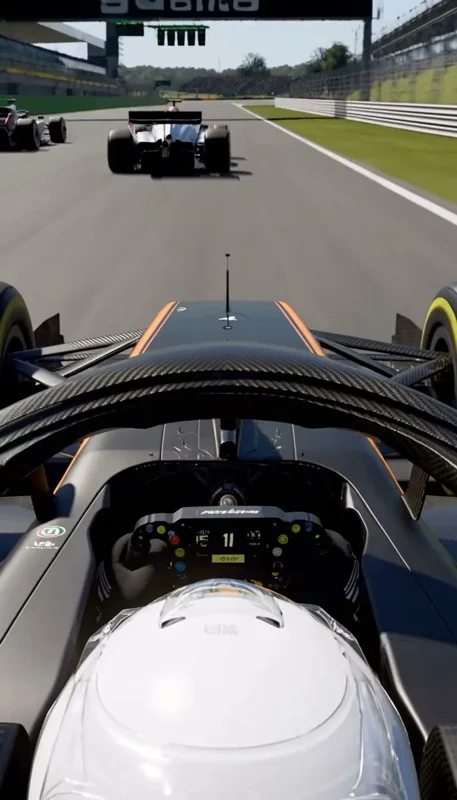
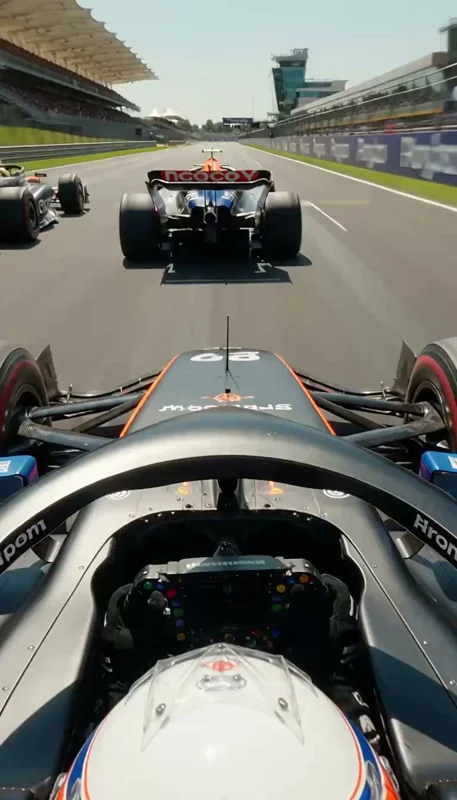
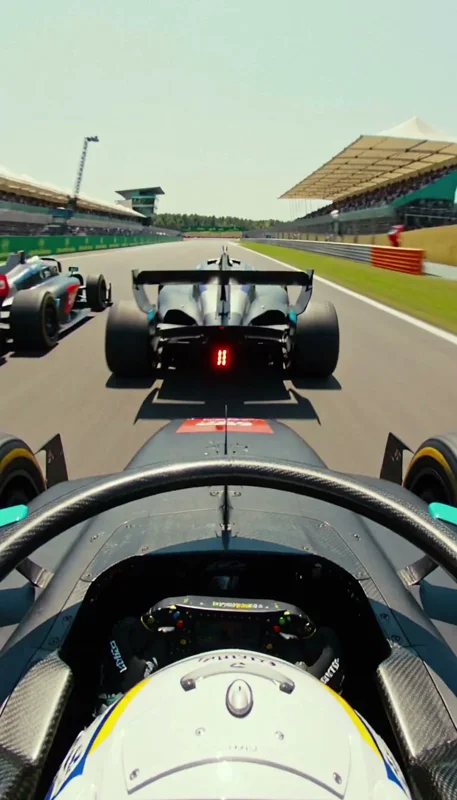
integrated_multimodal_description: [Shot 1] Live-action vertical Hollywood racing movie, shot with real cameras mounted on the cars, bright afternoon sun on a hot dusty summer grand prix circuit, anamorphic film look. Onboard T-cam view: the camera is mounted just above and behind the driver's white helmet, looking forward over the halo, the steering wheel and the front wing of a matte graphite-black open-wheel formula racing car with thin amber stripes. The car is flat out at over 300 km/h on the main straight, tucked in the slipstream of a silver-and-blue rival car only a few meters ahead whose rear wing and blinking red rear light fill the middle of the frame, while a third car runs alongside on the left; kerbs, barriers and the packed grandstands streak past in heavy motion blur and the camera shakes with the car. Our car pulls out of the slipstream and draws side by side with the rival into the braking zone. [Shot 2] At 00:02.600, cut to a low camera at track level right at the corner apex: the two cars blast past the lens wheel to wheel at extreme speed, their front tyres inches apart, sparks spraying from under the floors and dust kicking up from the kerb; the background is a blur and the camera whip-pans to follow them as they disappear. No logos, no numbers and no sponsor text on any car, and no text anywhere.

overall_soundscape: The deafening scream of the turbo racing engine right behind the camera at very high revs, two rapid upshifts each with a sharp crack and a brief dip in pitch, wind roaring against the helmet and the engine of the car alongside howling next to it; then hard braking with four rapid downshifts, each with a throttle blip and crackling exhaust pops and bangs; on the cut, two engines screaming past the camera at full throttle with a Doppler roar that fades away.

non_diegetic_music: None.
鯨魚直式、橫式提示詞怎麼換?水下聲音與配樂怎麼寫?
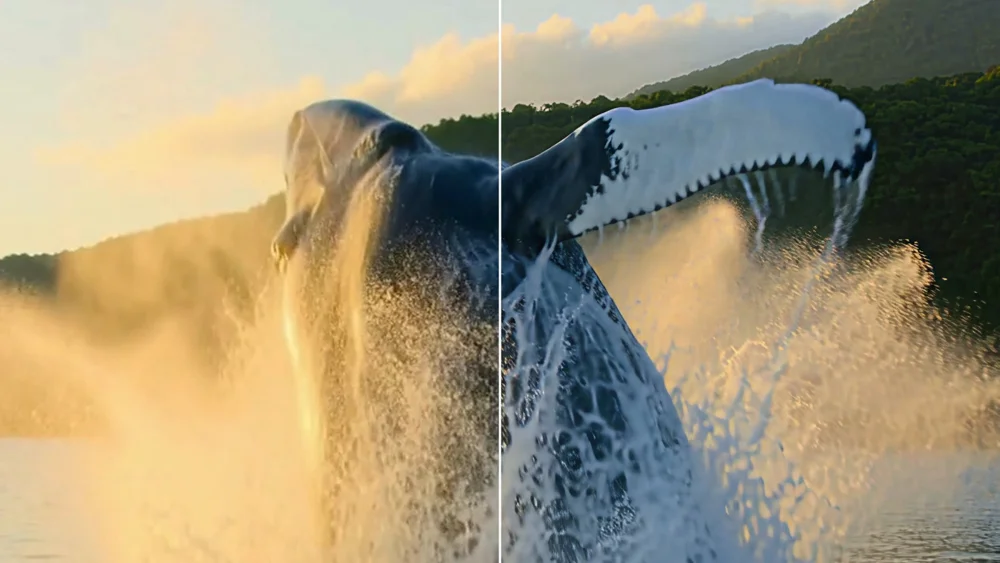
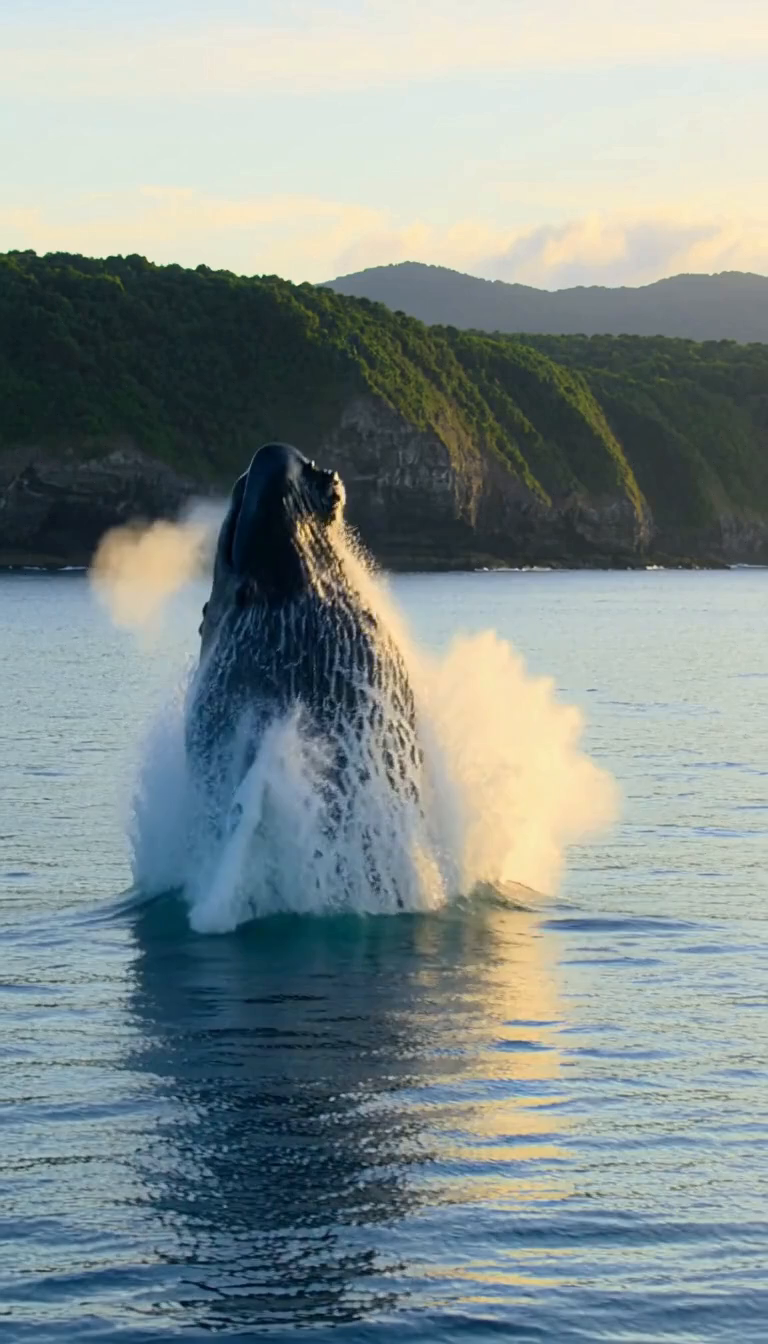
台灣東海岸黃金時段,大翅鯨逆光躍出海面;2.6 秒切水下,光束、氣泡、鯨魚滑過。聲音從水聲、噴氣轉成悶的水下鯨歌;這支有空靈無詞女聲合唱、合成器和鋼片琴,不是所有範例都不配樂。
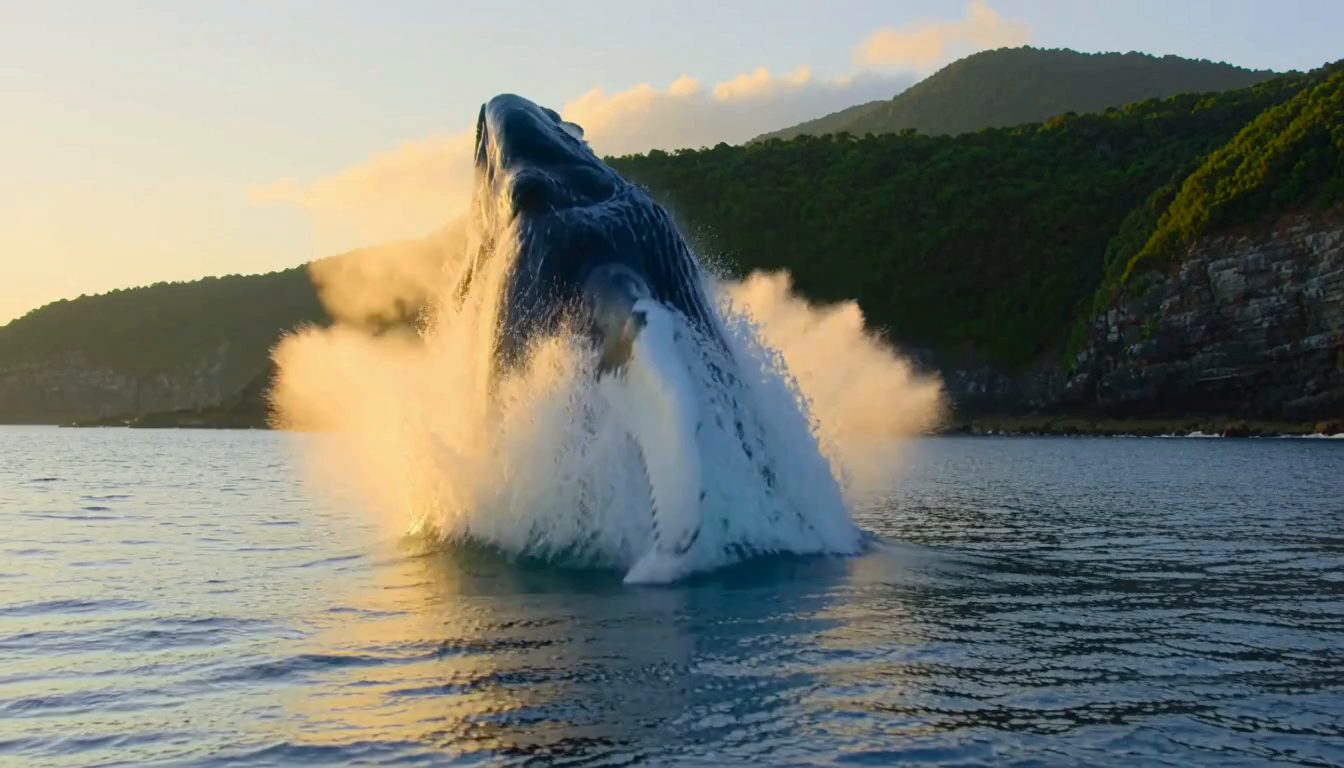
直式三支:官方 1 分 55 秒、Mac 15 分 14 秒、RTX 5080 3 分 31 秒。橫式原文改用 widescreen 和 wide frame 的畫面描述;橫式只在 RTX 5080 跑,不放不存在的三方橫式結果。
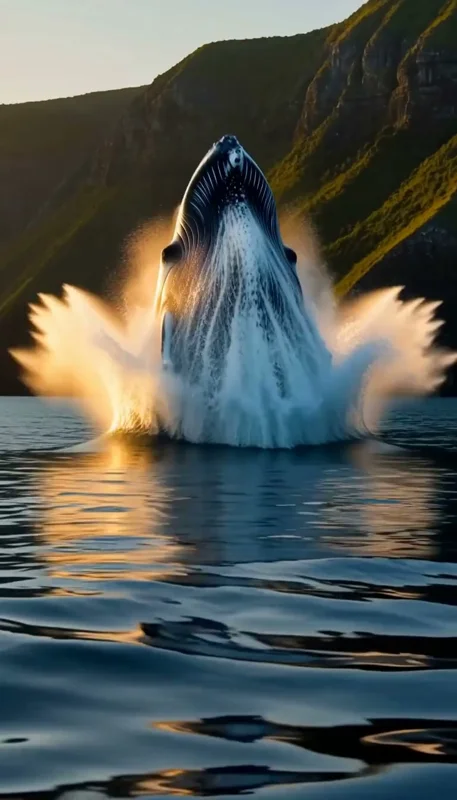
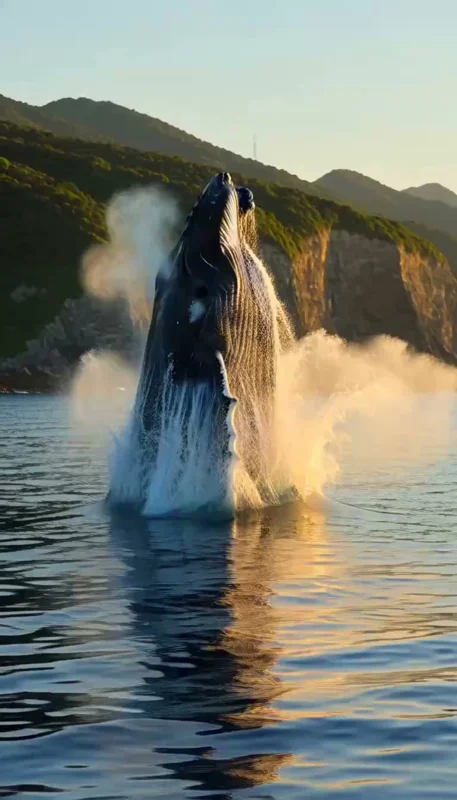
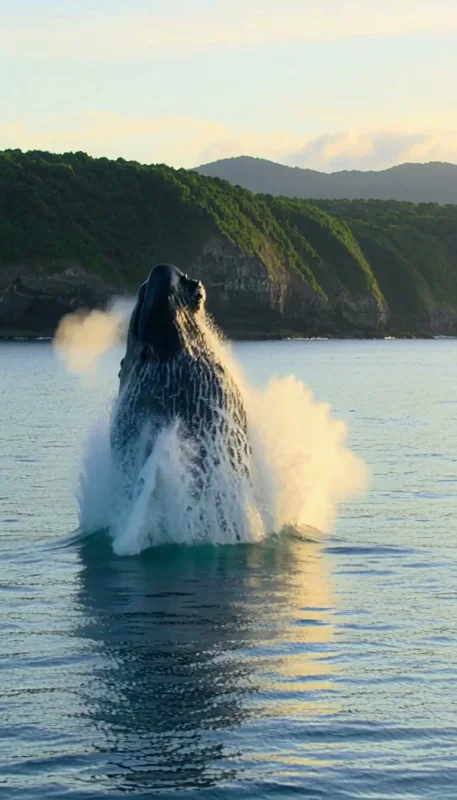
integrated_multimodal_description: [Shot 1] Live-action vertical nature documentary, shot on a real cinema camera at golden hour over a calm deep-blue Pacific Ocean off the east coast of Taiwan; steep green coastal cliffs stand far behind under a warm, low sun, and the glassy water catches long streaks of golden light. Low camera just above the water surface: a massive humpback whale bursts vertically out of the ocean right in front of the camera, its huge dark body and long white pectoral fins rising high into the tall frame in slow motion, sheets of water streaming off its skin and glowing gold in the backlight, then it twists in the air and begins to fall back toward the sea. [Shot 2] At 00:02.600, cut to an underwater shot in clear blue water: sunbeams slant down from the bright, rippling surface above, and the humpback whale glides slowly and calmly past the camera, its long white fins and ridged throat clearly visible, trailing a few small silver bubbles, fading into the deep blue. Only the ocean and the whale are in frame; no people, no boats and no text appear in any shot.

overall_soundscape: Soft water lapping, a deep, powerful exhale from the whale's blowhole and a cascade of falling water, then on the cut the sound turns muffled and hollow underwater, with a long, haunting, melodic humpback whale song echoing through the deep.

non_diegetic_music: A beautiful, ethereal ambient score, slow and dreamy: an airy wordless female choir, shimmering soft synth pads and a delicate celesta melody drenched in reverb, swelling gently as the whale rises and floating into a wide, weightless sustained chord underwater.
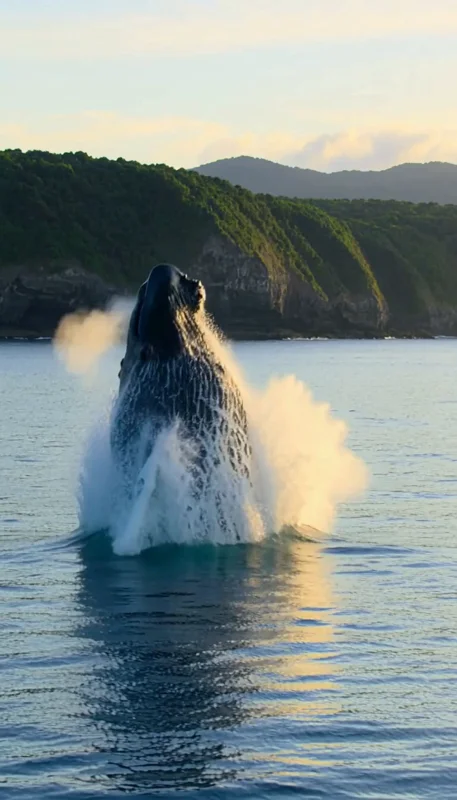
integrated_multimodal_description: [Shot 1] Live-action widescreen nature documentary, shot on a real cinema camera at golden hour over a calm deep-blue Pacific Ocean off the east coast of Taiwan; steep green coastal cliffs stand far behind under a warm, low sun, and the glassy water catches long streaks of golden light. Low camera just above the water surface: a massive humpback whale bursts vertically out of the ocean right in front of the camera, its huge dark body and long white pectoral fins rising high across the wide frame in slow motion, sheets of water streaming off its skin and glowing gold in the backlight, then it twists in the air and begins to fall back toward the sea. [Shot 2] At 00:02.600, cut to an underwater shot in clear blue water: sunbeams slant down from the bright, rippling surface above, and the humpback whale glides slowly and calmly past the camera, its long white fins and ridged throat clearly visible, trailing a few small silver bubbles, fading into the deep blue. Only the ocean and the whale are in frame; no people, no boats and no text appear in any shot.

overall_soundscape: Soft water lapping, a deep, powerful exhale from the whale's blowhole and a cascade of falling water, then on the cut the sound turns muffled and hollow underwater, with a long, haunting, melodic humpback whale song echoing through the deep.

non_diegetic_music: A beautiful, ethereal ambient score, slow and dreamy: an airy wordless female choir, shimmering soft synth pads and a delicate celesta melody drenched in reverb, swelling gently as the whale rises and floating into a wide, weightless sustained chord underwater.
空戰提示詞怎麼寫?為什麼 no text 還是可能冒出標誌?
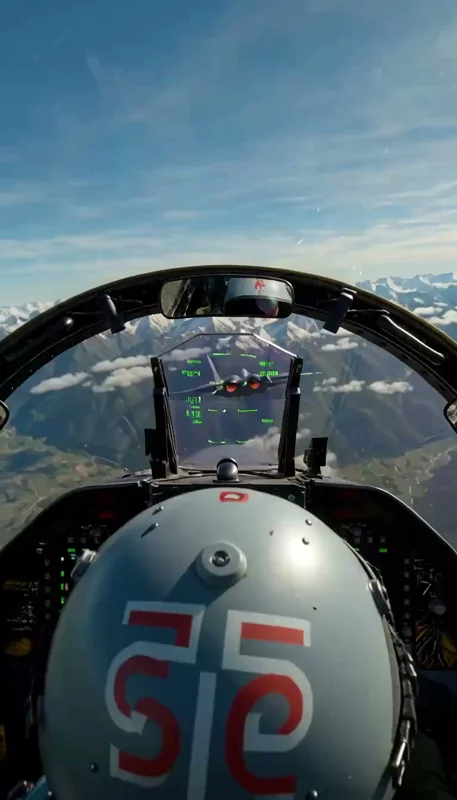
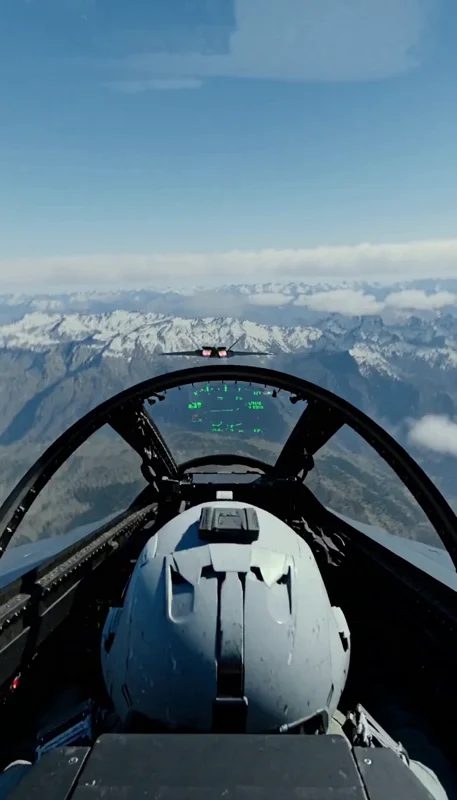
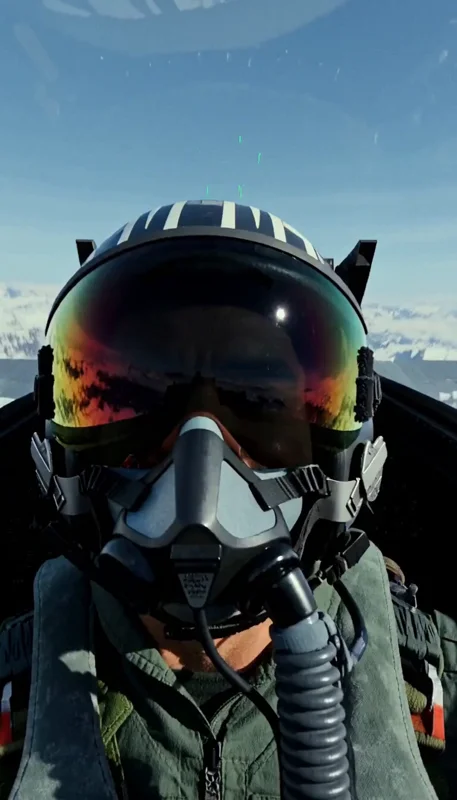
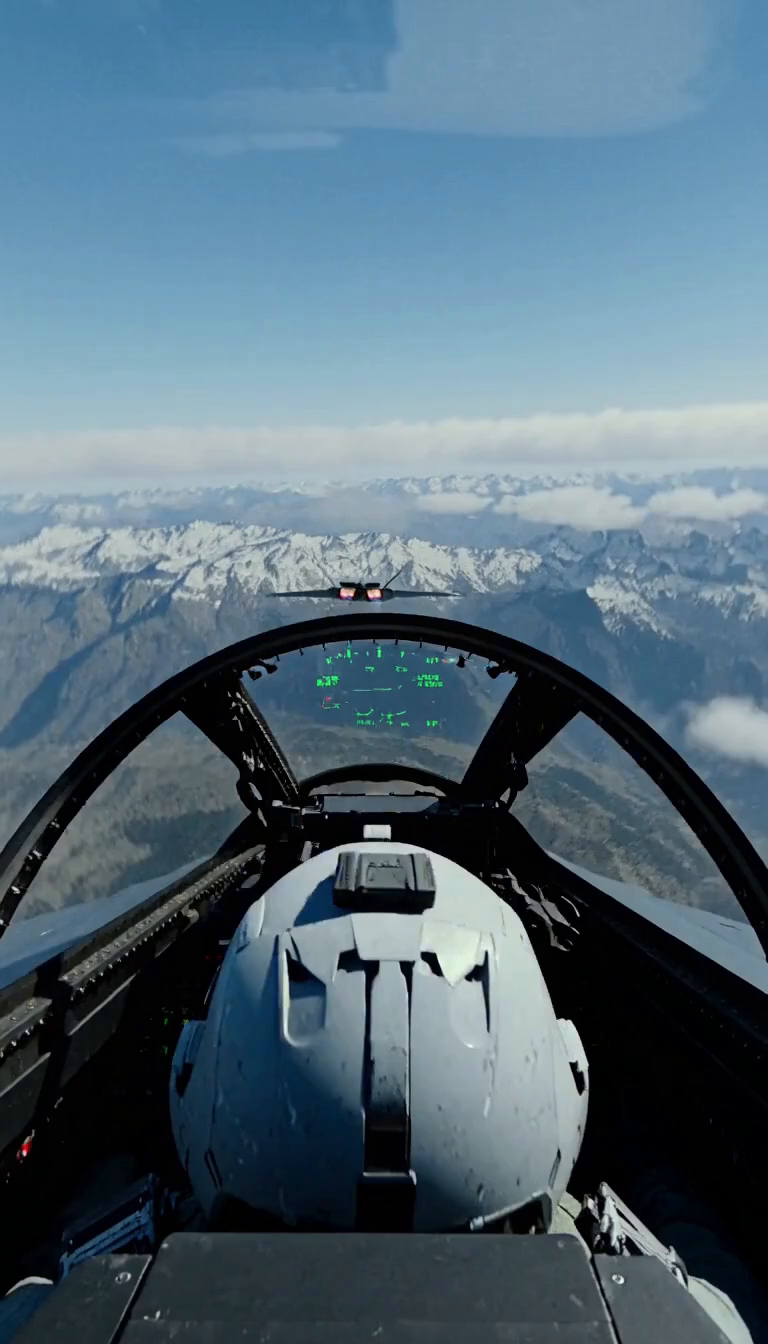
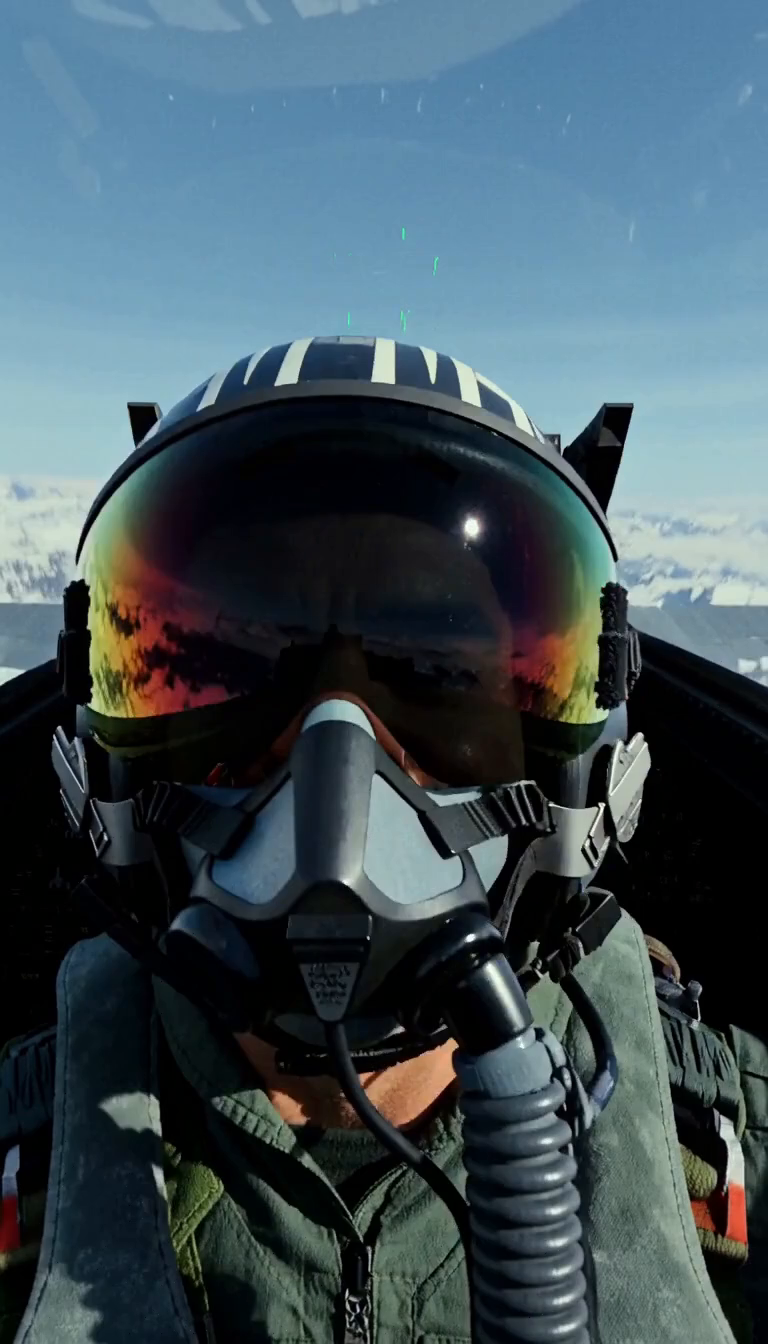
第一支從飛行員頭盔後看 HUD 抽象線圈,敵機急轉放熱焰彈,2.6 秒切機外追拍。雙發引擎、面罩呼吸、抗 G 悶哼、鎖定警告與都卜勒聲都按鏡頭寫。官方第一支肩上仍有國旗臂章,Mac 頭盔還出現「5G」;禁止文字不是逐字必達的指令。
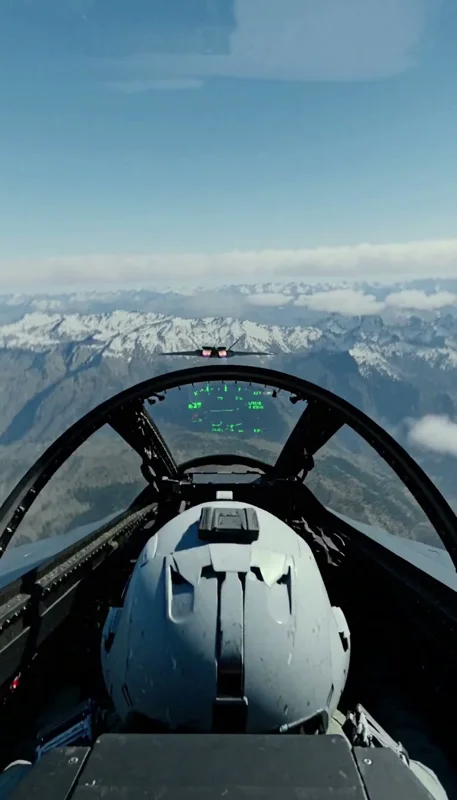
第一支官方 1 分 45 秒、Mac 15 分 14 秒、RTX 5080 3 分 31 秒。第二支從儀表板看飛行員,再切頭盔後往峽谷俯衝,原文進一步加 no flags or patches,仍要看生成結果;第二支官方 2 分 08 秒、Mac 15 分 13 秒、RTX 5080 3 分 31 秒。
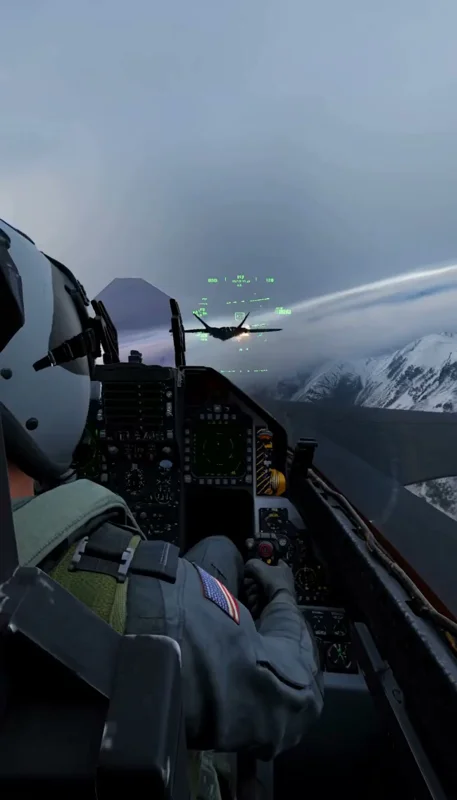
integrated_multimodal_description: [Shot 1] Live-action vertical Hollywood aerial combat movie, shot with real cameras mounted inside and outside real fighter jets, hazy blue-grey sky above jagged snow-capped mountains, anamorphic film look. Cockpit view from just behind and above the pilot's helmet: looking forward through the curved canopy over the glowing green head-up display that shows only abstract lines and circles, our fighter is chasing a dark grey fifth-generation stealth fighter jet a few hundred meters ahead; the enemy jet snaps into a hard banking turn and dumps a spray of glowing orange flares, our jet rolls after it so the whole horizon tilts, white condensation streams off the wingtips and the pilot's gloved hand pulls the stick. [Shot 2] At 00:02.600, cut to an external chase camera right behind the stealth fighter: its two engine nozzles blaze with blue-orange afterburner flames, and our twin-tail fighter screams past just meters away in a tight turn with a white vapor cone wrapped around it, while far away a burning jet trails thick black smoke; the camera shakes with the turbulence. The pilot's face is hidden by a dark visor and oxygen mask; no national markings, no insignia, no numbers and no text on any aircraft, and no readable text anywhere.

overall_soundscape: The deafening roar of twin jet engines with heavy afterburner thumps, the pilot's heavy breathing through the oxygen mask and a strained grunt under the G-force, a rapid high-pitched missile-lock warning tone, the popping hiss of flares firing, wind buffeting the canopy, then on the cut a jet screaming past the camera with a Doppler roar and a low boom.

non_diegetic_music: None.
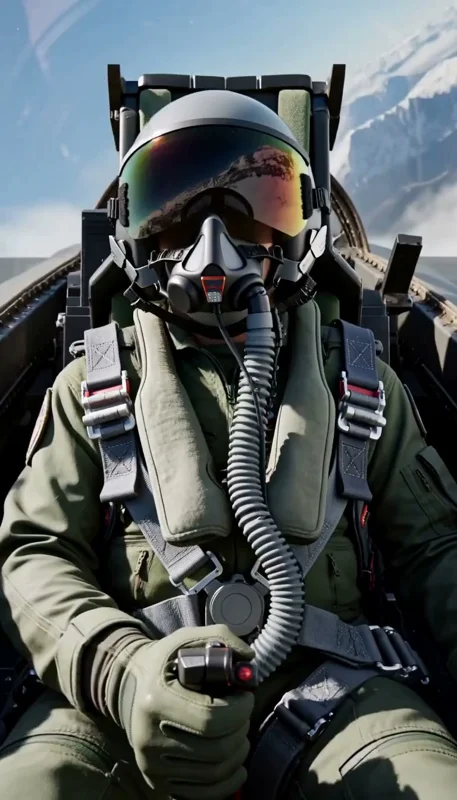
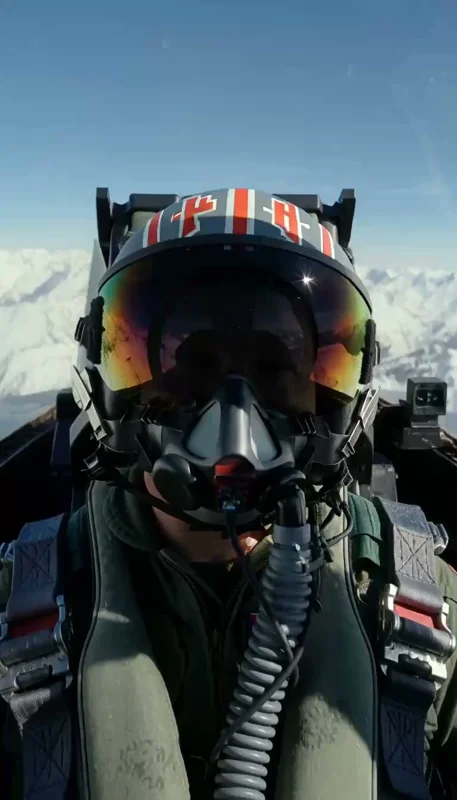
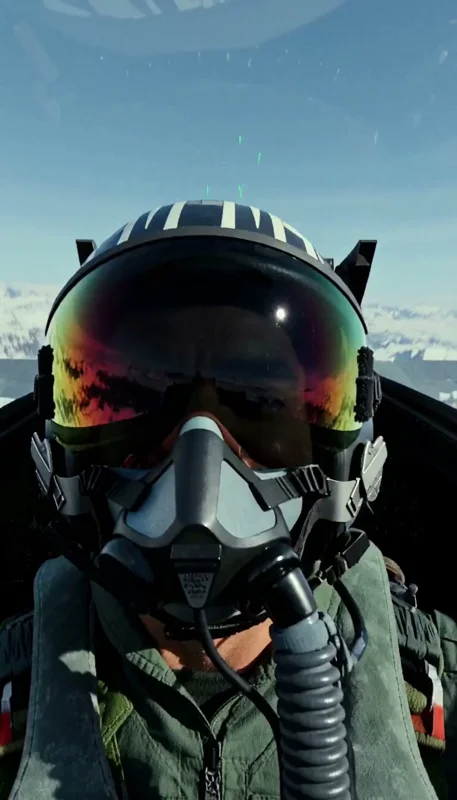
integrated_multimodal_description: [Shot 1] Live-action vertical Hollywood aerial combat movie, shot with real cameras mounted inside a real fighter jet cockpit, hazy blue-grey sky above jagged snow-capped mountains, anamorphic film look. Tight close-up from the instrument panel looking back at the pilot: a dark mirrored visor reflecting the bright sun and the snowy peaks spinning past, a grey oxygen mask, a plain olive flight suit; the pilot's helmet is pushed down by heavy G-force as the jet pulls a hard turn, the gloved hand yanks the stick back, and sunlight sweeps across the cockpit as the horizon rolls. [Shot 2] At 00:02.600, cut to a view from just behind the pilot's helmet looking forward through the canopy over the glowing green head-up display that shows only abstract lines and circles: our jet rolls and dives low into a narrow snowy mountain valley, rock walls and snowfields rushing past on both sides at tremendous speed, and the dark grey enemy stealth fighter jinks hard just ahead, trailing thin white vapor from its wingtips. No national markings, no insignia, no numbers, no flags or patches and no readable text anywhere; the pilot's face stays hidden behind the visor and mask.

overall_soundscape: The deafening roar of the jet engines and violent wind buffeting the canopy, the pilot's heavy, strained breathing through the oxygen mask and a grunt under the G-force, the cockpit rattling, a rapid high-pitched missile-lock warning tone, then on the cut a deep rushing roar as the valley walls whip past.

non_diegetic_music: None.
斯巴達 15 秒怎麼分三段?上一段最後一格怎麼接下一段?
每段約 5 秒,832×480、124 格、6 步、seed 42;三段生成共 211.8 秒。人物故事從孤身、箭雨到挺立,各段各寫鏡頭和聲音,哪段不好就只重做那段。
| 段落 | 輸入與故事 | 聲音/配樂 | 生成秒數 |
|---|---|---|---|
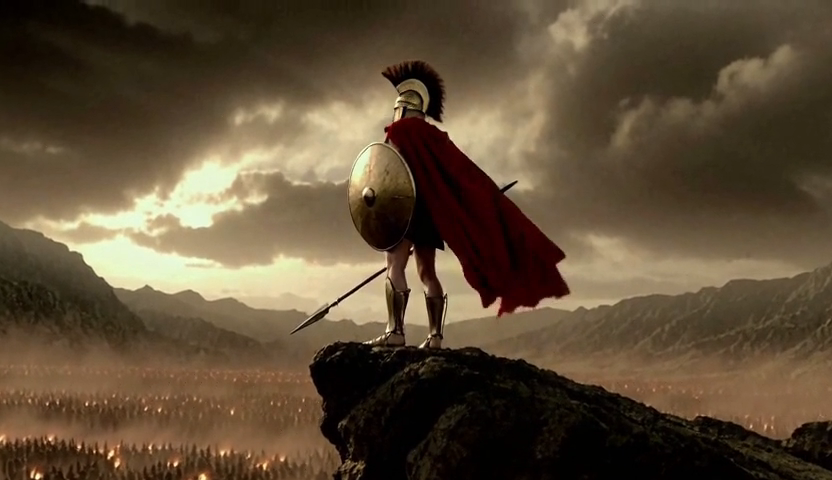
| 1 孤身 | T2V;眼縫特寫→2.5 秒切岩脊遠景,紅披風、遠方火把 | 風、披風、號角;一聲戰鼓和低沉男聲合唱 | 65.2 |
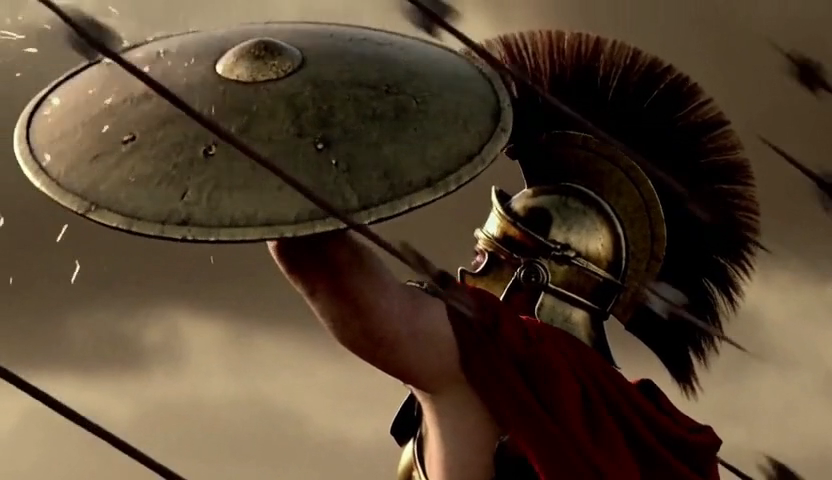
| 2 箭雨 | I2V;段 1 最後一格當首幀;1.5 秒切箭雨、3 秒切舉盾 | 萬箭呼嘯、金屬撞擊;戰鼓加快、銅管推高 | 73.2 |
| 3 挺立 | I2V;段 2 最後一格當首幀;放盾→2.2 秒切英雄遠景、舉矛大吼 | 先靜、木頭聲、箭落地;大鼓和合唱隨吼聲進來 | 73.4 |
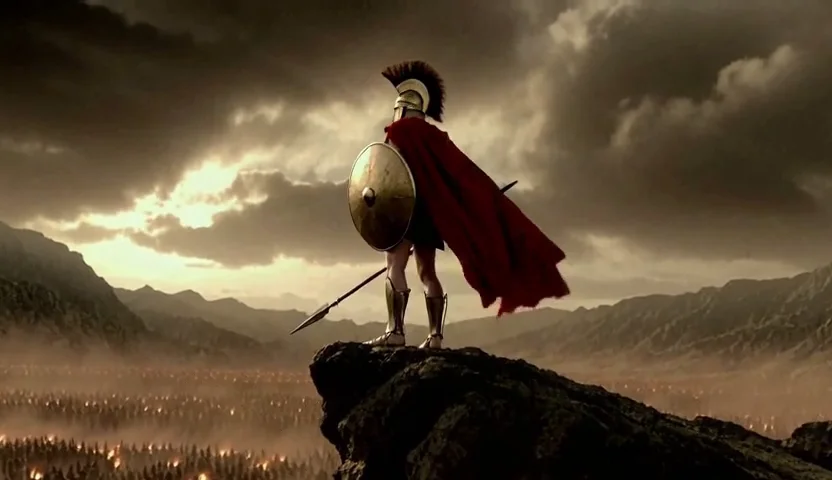
三份提示詞開頭兩句完全相同:第一句定圖像小說風、去飽和銅色、壓黑與顆粒,只有披風是紅色;第二句定頭盔、胸甲、圓盾、長矛與紅披風。這樣人物和畫風才對得上,段 2、3 再用 Continuing from the first frame 接動作。
integrated_multimodal_description: [Shot 1] Epic cinematic battle film in a stylized graphic-novel look: heavily desaturated bronze and sepia color grade, deep crushed blacks, strong film grain and high contrast; the only saturated color in the frame is the deep crimson of the warrior's cape. The same lone ancient Greek hoplite warrior throughout: bronze Corinthian helmet with a tall dark crest, bronze breastplate, large round bronze shield, long spear and crimson cape. Extreme close-up through the eye slits of the warrior's bronze Corinthian helmet: his dark eyes slowly open and stare ahead, fine dust drifting across the dented metal in the wind. [Shot 2] At 00:02.500, the camera cuts to a low-angle wide shot: the warrior stands alone on the edge of a jagged rocky ridge, his crimson cape whipping in the wind, a towering storm sky of heavy bronze clouds behind him; far below in the valley, a vast enemy army is only a distant haze of dust and thousands of tiny torch lights; the camera slowly pushes in. Only this one warrior is seen up close; no blood, no faces of other people and no text appear in any shot.
overall_soundscape: Low howling wind and the soft hiss of blowing dust, the heavy flapping of the cloth cape, and from far away the long, deep call of enemy war horns over the low rumble of a marching army.
non_diegetic_music: A single deep war drum beat and a low sustained male choir drone, slow and ominous.
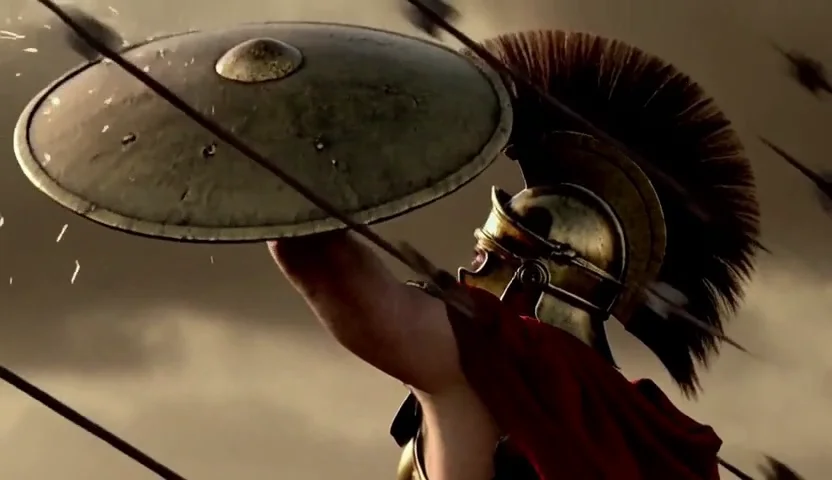
integrated_multimodal_description: [Shot 1] Epic cinematic battle film in a stylized graphic-novel look: heavily desaturated bronze and sepia color grade, deep crushed blacks, strong film grain and high contrast; the only saturated color in the frame is the deep crimson of the warrior's cape. The same lone ancient Greek hoplite warrior throughout: bronze Corinthian helmet with a tall dark crest, bronze breastplate, large round bronze shield, long spear and crimson cape. Continuing from the first frame: the lone warrior stands on the rocky ridge with his crimson cape blowing, and slowly tilts his helmet up toward the sky as the light dims. [Shot 2] At 00:01.500, the camera cuts to a wide shot of the sky only: thousands of black arrows rise in one dense volley and blot out the sun. [Shot 3] At 00:03.000, the camera cuts to a slow-motion close-up of the same warrior: he raises the round bronze shield above his head, and arrows strike and glance off it in bursts of bright sparks and wood splinters. No blood, no other people and no text appear in any shot.
overall_soundscape: The wind drops, then the rushing whistle of thousands of arrows grows louder and louder overhead, followed by rapid sharp metallic clangs and heavy thuds as the arrows hit the bronze shield.
non_diegetic_music: Fast, pounding war drums building in intensity with a rising low brass drone.
integrated_multimodal_description: [Shot 1] Epic cinematic battle film in a stylized graphic-novel look: heavily desaturated bronze and sepia color grade, deep crushed blacks, strong film grain and high contrast; the only saturated color in the frame is the deep crimson of the warrior's cape. The same lone ancient Greek hoplite warrior throughout: bronze Corinthian helmet with a tall dark crest, bronze breastplate, large round bronze shield, long spear and crimson cape. Continuing from the first frame: the arrow storm stops; in the sudden stillness the warrior slowly lowers the round bronze shield, several arrows stuck in it, and a single shaft of golden sunlight breaks through the clouds onto him. [Shot 2] At 00:02.200, the camera cuts to a low-angle heroic wide shot: he steps to the edge of the ridge, raises his spear high toward the valley and lets out a fierce battle roar, his crimson cape billowing, as the camera slowly pushes in on his silhouette against the breaking sunlight. No blood, no other people and no text appear in any shot.
overall_soundscape: Sudden quiet with only soft wind, the creak of wood as the shield lowers and one loose arrow clattering onto the stone, then one deep, fierce male battle roar echoing across the valley.
non_diegetic_music: Silence at first, then one huge drum hit and a powerful low male choir swelling on the roar and holding to the end.
取段 1 最後一格當段 2 第一格,段 2 最後一格再給段 3。接片去掉重複的那一格,三段成為 15.42 秒、370 格;接縫的鼓聲和合唱用約 0.3 秒交叉淡入。三段配樂從壓迫、衝擊到安靜後爆發,也跟著故事走。

ComfyUI 影片放大到 1080p、2K,SeedVR2 要等多久?
H3 一次最大約 1344×768,官方的 2K 版沒開源。SeedVR2 是把已生成影片補細節、提高解析度的工具,不是重新拍一支;從 ComfyUI 範本開 SeedVR2 影片放大,下載主檔與 VAE,分別放 diffusion_models、vae,設放大倍數。長片開 split_latent 切段,它分段放大再接回。
橫式鯨魚設定 1344×768、124 格、6 步、seed 42,執行 207.7 秒;放大到 1080p 要 319 秒(5 分 19 秒),2K 2560×1440 要 827 秒(13 分 47 秒)。斯巴達從 832×480 放大,切 11 段,1080p 約 15 分鐘,2K 共 2059 秒、約 34 分鐘。
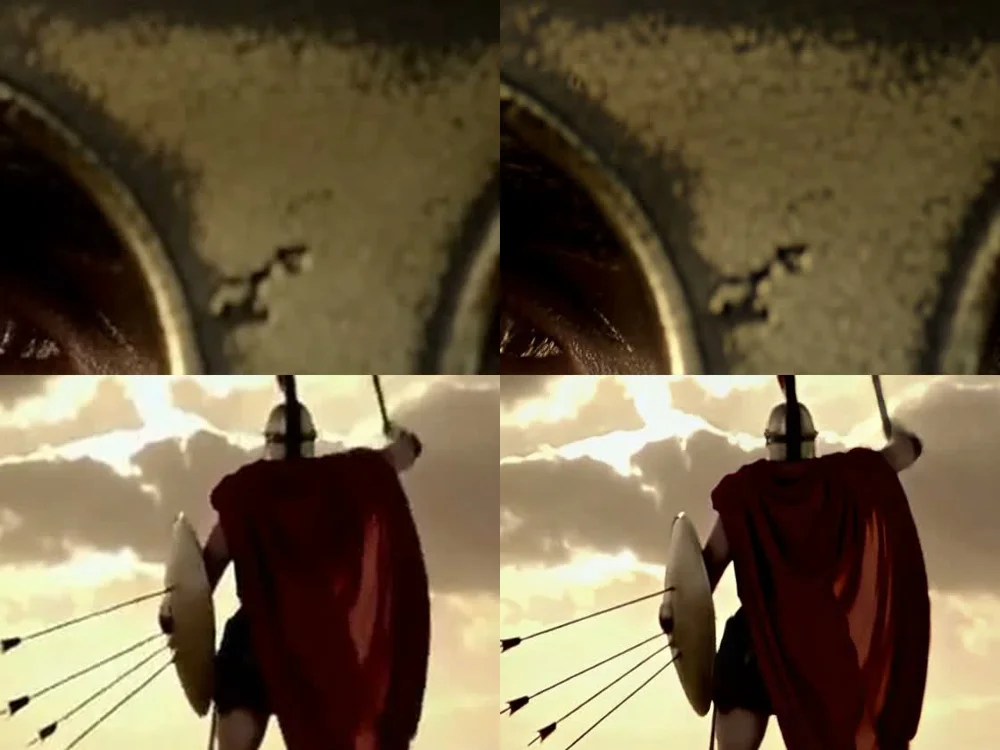
想省時間,先用小畫面挑,挑中的才放大;想保留最多細節,就先用 1344×768 生成。要更快、更大量生成,可以看DGX Spark 搭 MiniMax H3 的短影片工作平台,再決定你的硬體和流程。
Q4 壓縮版的代價與 MiniMax H3 授權要注意什麼?
Q4 版細節比 8 位元版少一點,西班牙語、葡萄牙語可能斷字。片中整理的 MiniMax H3 社群授權不包含美國、歐盟、英國、南韓,公開發布生成內容要清楚標示 AI 生成;授權原文放在下方資料來源。
首幀 PNG、ComfyUI 工作流程與完整提示詞在哪裡下載?
七張原始 PNG、兩份範本 JSON、八份原文 txt;選好範例,將首幀放進 hyperflow_i2v,或從 hyperflow_t2v 直接改提示詞開始。
- 賽車 ↓racing-first-frame.png · 1,116,079 bytes
- 鯨魚直式 ↓whale-vertical-first-frame.png · 1,350,592 bytes
- 鯨魚橫式 ↓whale-horizontal-first-frame.png · 1,376,594 bytes
- 空戰第一支 ↓aircombat-one-first-frame.png · 842,192 bytes
- 空戰第二支 ↓aircombat-two-first-frame.png · 1,033,923 bytes
- 斯巴達段 2 首幀=段 1 最後一格 ↓spartan-two-first-frame.png · 411,146 bytes
- 斯巴達段 3 首幀=段 2 最後一格 ↓spartan-three-first-frame.png · 372,392 bytes
- 賽車提示詞 ↓racing-prompt.txt · 1,851 bytes
- 鯨魚直式提示詞 ↓whale-vertical-prompt.txt · 1,644 bytes
- 鯨魚橫式提示詞 ↓whale-horizontal-prompt.txt · 1,648 bytes
- 空戰第一支提示詞 ↓aircombat-one-prompt.txt · 1,690 bytes
- 空戰第二支提示詞 ↓aircombat-two-prompt.txt · 1,565 bytes
- 斯巴達段 1:孤身提示詞 ↓spartan-one-prompt.txt · 1,435 bytes
- 斯巴達段 2:箭雨提示詞 ↓spartan-two-prompt.txt · 1,377 bytes
- 斯巴達段 3:挺立提示詞 ↓spartan-three-prompt.txt · 1,398 bytes
- HyperFlow T2V 工作流程 ↓hyperflow-t2v.json · 22,635 bytes
- HyperFlow I2V 工作流程 ↓hyperflow-i2v.json · 23,934 bytes
RTX 5080 本地 AI 影片生成常見問題
8G、12G 顯卡也能跑 HyperFlow H3 嗎?
這支影片驗的是 16G RTX 5080 加 32G 記憶體,H3 自己在顯卡上大約用了 10.5GB。片中沒有 8G、12G 顯卡的完成結果,不能由這個用量直接推成那兩種卡跑得動;照片中的準備清單是 16G 顯卡、32G 記憶體、NVMe 空出 40GB。
第一次跑 HyperFlow H3 為什麼比較久?
RTX 5080 約 3 分 31 秒是模型已載入之後,一支 5 秒有聲直式片從送出到完成的時間;開機後第一次跑,還要加載入模型的時間。
賽車、鯨魚、空戰原本沒有首幀,下載圖怎麼用?
這些原例是文字生影片。下載 PNG 是 RTX 5080 成片的第一格,可以放進 hyperflow_i2v 的首幀欄,搭同一份提示詞,從同一個畫面開始生成自己的版本。
為什麼斯巴達要分三段生成?
三段各約 5 秒,各自安排鏡頭、聲音與配樂;哪段不滿意就只重做那段。段 2 用段 1 最後一格、段 3 用段 2 最後一格當圖生影片首幀,三段人物和畫風的開頭兩句也保持相同。
本地生成的 H3 影片放大到 1080p、2K 要多久?
片中 RTX 5080 的橫式鯨魚約 5 秒,SeedVR2 放到 1080p 要 319 秒,2K 要 827 秒。斯巴達約 15 秒從 832×480 放大,1080p 約 15 分鐘、2K 約 34 分鐘;先用小畫面挑,挑中的再放大。
MiniMax H3 提示詞怎麼分畫面、聲音和配樂?
integrated_multimodal_description 寫鏡頭與切換時間,overall_soundscape 寫環境聲和音效,non_diegetic_music 寫配樂。這頁賽車、空戰原提示詞用 None. 表示不配樂;四個範例的八份原文都可以各自複製或下載。
資料來源
本文依 AI 策略室 2026 年 11 月 17 日影片與同一批實作素材整理,以下提供片中工具與原始文件。
- HyperFlow H3 Flash 模型卡
- HyperFlow 官方 ComfyUI 整合指南
- MiniMax H3 開源公告
- MiniMax H3 官方提示詞寫法
- MiniMax H3 社群授權
- ComfyUI SeedVR2 影片放大教學
想把本地 AI 影片生成接進自己的工作?先聊顯卡、記憶體和你想做的片型,透過 LINE 和奧微聊聊,一起整理適合的流程。
回文章列表